 ProcFu:
Home
App-Builder
Apps
ProcScript-Code
Code
Automation-Flows
Flows
Functions-API
Functions
Plans
login
ProcFu:
Home
App-Builder
Apps
ProcScript-Code
Code
Automation-Flows
Flows
Functions-API
Functions
Plans
login
Extend Podio Without Leaving Podio
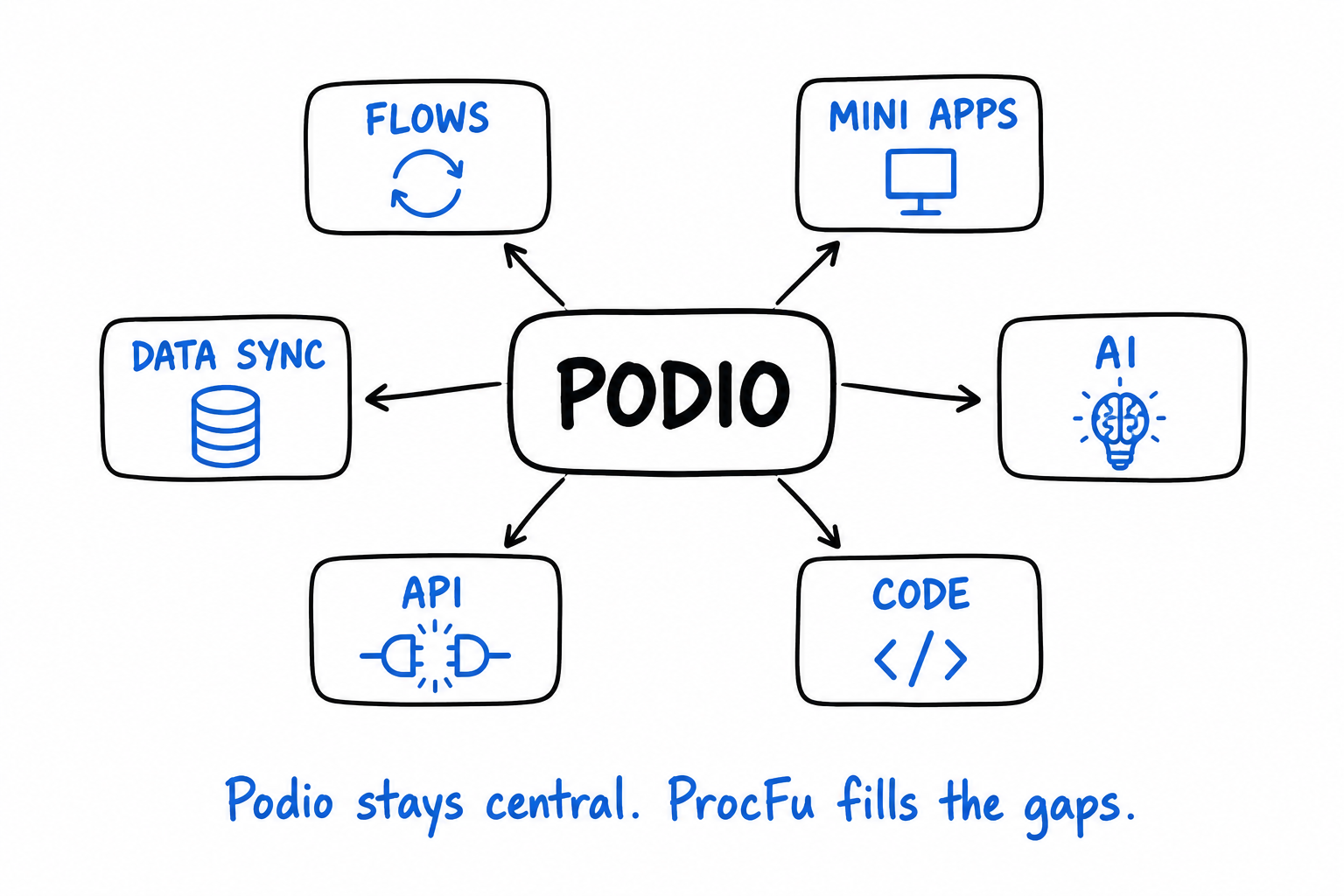
ProcFu fills the gaps where Podio falls short — automation flows, custom web apps, AI integration, API functions, ProcScript code, and data sync to MySQL — while keeping Podio as the source of truth.
AI in Podio
Podio is a record-heavy tool. People open items, read comment threads, check related records, and decide what to do next. AI is useful here when it reduces that reading and judgment time — summarizing, classifying, extracting, drafting — without replacing the underlying workflow.
Read guideGlobiFlow Alternative
If you are searching for a GlobiFlow alternative, you probably already know the tool. You have flows. They work — mostly. But the setup has hit a ceiling: debugging is guesswork, you need an external-facing UI, the logic outgrew the visual builder, or you want AI and there is no path to it. You are not looking for a list of 10 generic automation platforms. You want something that actually understands Podio.
Read guidePodio AI Automation
Podio AI automation means an AI step inside an automated workflow. Not a chatbot. Not a standalone tool you paste text into. A trigger fires in Podio, the workflow gathers context, AI processes it, and the result feeds back into the workflow — updating fields, routing items, creating tasks, or sending notifications. No human in the loop unless you want one.
Read guidePodio API Functions
If you are searching for Podio API functions, you have probably hit the wall where visual automation stops being practical. You need a calculation that involves five variables. Or you need to call an external API mid-workflow. Or the same logic runs in 12 places and you want one reusable function instead of 12 copy-pasted flow branches.
Read guidePodio App Builder
ProcFu's AppFrame is a point-and-click app builder that creates web apps connected to Podio — and other data sources. You define screens, connect them to data, configure fields and permissions, add server-side or client-side code where needed, and deploy. No framework to learn, no hosting to manage.
Read guidePodio Automation
Podio automation covers everything that reduces manual work around Podio: record-driven workflows, scheduled jobs, API integrations, external-facing apps, data syncs, and AI-assisted decisions. This page maps the full landscape and where each tool fits.
Read guidePodio Client Portal
A Podio client portal gives your clients a dedicated place to check project status, submit information, upload files, and approve work — without ever logging into Podio. Your team keeps working in Podio. The client sees a focused interface built around their project, case, or account.
Read guidePodio Custom App
Podio handles internal workflows well. But the moment someone outside your core team needs to interact with that data — a client checking status, a field tech logging an inspection, a vendor submitting pricing — the standard Podio UI becomes a problem. Too many apps, too many fields, too much training, too much risk.
Read guidePodio Customer Portal
A Podio customer portal gives your customers self-service access to support tickets, order history, documents, scheduling, and account management — while your team keeps working inside Podio. Customers get a clean interface. They never see Podio.
Read guidePodio Dashboard
Most Podio dashboard tools solve one problem: they pull data from the Podio API and draw charts. That works until your dataset outgrows API rate limits, you need cross-app queries, or you want the dashboard to actually do something beyond displaying numbers.
Read guidePodio Workflow Automation
Podio's built-in workflow automation handles the obvious cases: when status changes, update a field. When item created, send a notification. But most real business processes are not one trigger and one action. They branch, they depend on data from other apps, they need external API calls, and they break in ways that are hard to diagnose.
Read guideWorkflow Automation for Podio Plus Users
Podio's full Workflow Automations (PWA) require Premium-level plans. Podio pricing is per employee. If you have 20 or more users, upgrading every seat from Plus to Premium just to unlock automation becomes a real line item. ProcFu adds workflow automation around Podio while your users stay on Plus. You pay for actions used, not per seat.
Read guideProcFu fills the gaps where Podio falls short — automation flows, custom web apps, AI integration, API functions, ProcScript code, and data sync to MySQL — while keeping Podio as the source of truth.
Start From Your Problem
Each guide below tackles a specific Podio pain point. Find yours.
Things get missed, done late, or done inconsistently
Your process exists in people's heads or in a Podio calculation field that sends a notification nobody reads. You need triggers, conditions, and reliable actions.
Start with Podio Automation for the full landscape of automation options around Podio, or Podio Workflow Automation if you specifically need event-driven trigger-action flows. If you're coming from GlobiFlow and hitting its limits, GlobiFlow Alternative covers the migration path.
External users need access to Podio data
Clients, customers, vendors, or field staff need to see or submit data, but giving them Podio accounts is impractical — too expensive, too complex, too risky. You need a focused interface in front of specific Podio records.
Start with Podio Client Portal if the relationship is ongoing (project tracking, case management, account dashboards). Start with Podio Customer Portal if it's self-service (tickets, orders, payments). If the need is broader than a portal — a full custom web application on top of Podio data — see Podio Custom App or Podio App Builder for the point-and-click approach.
You need custom logic, calculations, or external API calls
Podio's calculation fields and GlobiFlow actions can't do what you need — complex date math, API calls to external systems, conditional logic that spans multiple apps, or data transformations that don't fit a spreadsheet formula.
Start with Podio API Functions. ProcFu's API function library handles HTTP requests, JSON parsing, date math, text manipulation, and custom ProcScript code that runs server-side when flows or Mini Apps call it.
Reporting is manual and the big picture is invisible
You export to Excel, paste into Google Sheets, and build the same summary every week. Podio's built-in views don't aggregate across apps or workspaces, and the numbers are always slightly stale.
Start with Podio Dashboard. ProcFu syncs Podio data to MySQL in real time, which means you can build dashboards that query across every app, run SQL aggregations, and stay current without exports.
Too much reading, too much manual classification
Your team opens items, reads long comment threads, checks related records, and makes judgment calls that could be assisted by AI — summarization, classification, extraction, drafting replies.
Start with AI in Podio for the full landscape of AI options, or Podio AI Automation if you specifically want AI steps inside your automation flows.
GlobiFlow is too limited or going away
You've hit GlobiFlow's ceiling — no HTTP requests, no conditional branching beyond basic if/else, no way to build external interfaces, no AI. Or you're concerned about its long-term viability.
GlobiFlow Alternative covers what ProcFu adds beyond GlobiFlow and how to migrate existing flows.
Premium licenses are too expensive
Your team needs workflow automation but can't justify Podio Premium pricing for every user. Podio Plus is cheaper but drops the built-in automation features.
Workflow Automation for Podio Plus Users explains how ProcFu restores automation capabilities on Plus-tier accounts.
The Practical Rule
If the problem is mostly process, start with automation. If the problem is mostly interface, start with Mini Apps. If the problem is mostly data transformation or integration, start with API functions. If the problem depends on summarizing or drafting from existing records, add AI around the record instead of letting AI run the whole process invisibly.
ProcFu works best when Podio remains the source of truth and ProcFu handles the missing execution layer around it. It's not trying to replace Podio — it fills the gaps.
What's Next
- Browse Mini App Use Cases for portal, dashboard, and custom app examples
- Read about ProcFu's Architecture to understand how the pieces connect
- Check Plans and Pricing or start a free trial