 ProcFu:
Home
App-Builder
Apps
ProcScript-Code
Code
Automation-Flows
Flows
Functions-API
Functions
Plans
login
ProcFu:
Home
App-Builder
Apps
ProcScript-Code
Code
Automation-Flows
Flows
Functions-API
Functions
Plans
login
Podio Workflow Automation
Podio's built-in workflow automation handles the obvious cases: when status changes, update a field. When item created, send a notification. But most real business processes are not one trigger and one action. They branch, they depend on data from other apps, they need external API calls, and they break in ways that are hard to diagnose.
Podio's built-in workflow automation handles the obvious cases: when status changes, update a field. When item created, send a notification. But most real business processes are not one trigger and one action. They branch, they depend on data from other apps, they need external API calls, and they break in ways that are hard to diagnose.
This page covers how Podio workflow automation actually works at each level — native PWA, ProcFu Flows, and the Functions API — so you can pick the right tool for each workflow instead of forcing everything through one system.
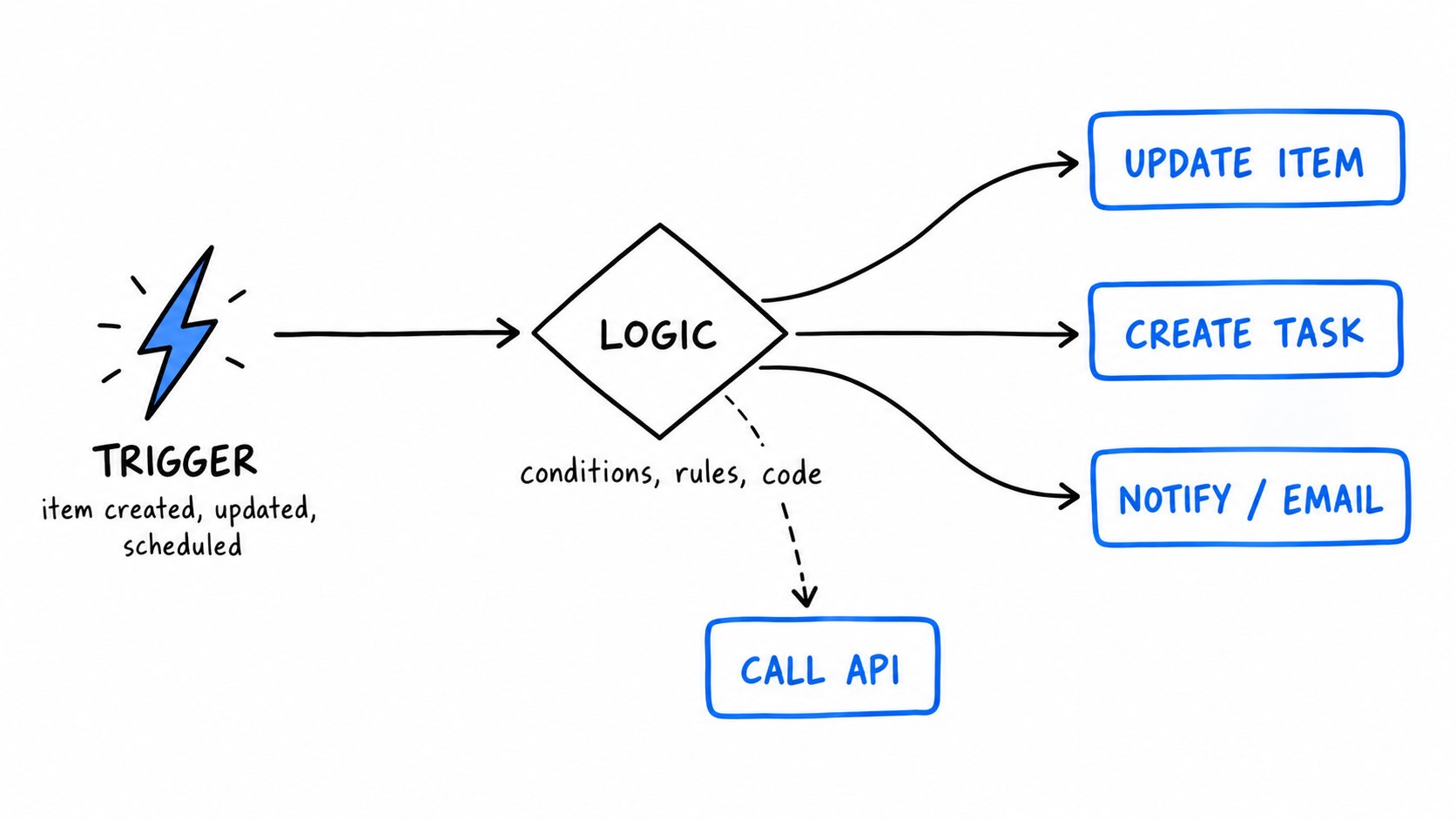
The Three Layers of Podio Workflow Automation
1. Native Podio Workflow Automation (PWA)
Podio's built-in workflow automation ships with Premium plans. It uses a visual builder where you set a trigger (item created, item updated), add conditions, and define actions (update fields, create tasks, send notifications).
PWA works well when the rule is genuinely simple: one trigger, one condition check, one or two actions. Keep it there when it fits. Extra tooling is not a virtue.
PWA starts to break down when you need:
- Conditional branching beyond simple if/else
- Updates across multiple apps in a specific sequence
- Calls to external APIs (Stripe, QuickBooks, email services)
- Custom date math or string manipulation
- Debugging beyond "it ran" or "it didn't"
- Automation on Podio Plus plans (PWA requires Premium)
If your flow is a straight line, PWA is fine. If your flow is a decision tree, you need something else.
2. ProcFu Flows
ProcFu Flows are event-driven automations written in ProcScript, a scripting language built for Podio operations. ProcScript reads like PHP but borrows JS conveniences — you write logic, not YAML or visual blocks.
Triggers available:
- Item created, updated, or deleted
- Scheduled: every 5 minutes, every 15 minutes, hourly
- Date-based: fire when a date field hits a threshold (e.g., 7 days before expiry)
What you get that PWA doesn't:
- Full programming language with loops, conditionals, functions, error handling
- 100+ built-in functions for Podio CRUD, file handling, data transformation, and HTTP calls
- Step-through debugging with breakpoints and variable inspection — not just "the flow ran"
- Test runs on real Podio items with preview before going live
- Full execution logs with timestamps and variable state
- AI integration via ChatGPT and JEV for classification, summarization, and extraction
- Works on any Podio plan tier, including Plus — no Premium required
That last point matters more than it sounds. If you have 30 Podio seats and only need advanced automation for 3 processes, upgrading everyone to Premium just for PWA is expensive. ProcFu sits beside Podio and handles the automation layer regardless of plan. See Workflow Automation for Podio Plus Users for the cost math.
3. ProcFu Functions API
The Functions API is for teams that already have working PWA or GlobiFlow flows and don't want to rip and replace. You keep your existing visual flows and call ProcFu functions from within them via HTTP.
Functions are pre-authenticated against your Podio account — no OAuth dance, no token management. You call a function URL, pass parameters, and get a result back. Your existing flow handles the trigger and basic routing; the function handles the hard part (complex lookups, multi-app updates, external API calls, AI processing).
This is the incremental path. You don't migrate everything on day one. You add power to the specific flow steps that need it. Over time, teams often move more logic into ProcFu Flows as they outgrow the visual builder, but the Functions API means you never have to do a big-bang migration. For more on this pattern, see Break Podio Workflow Limits.
ProcFu Flows vs Native PWA
| Capability | Podio PWA | ProcFu Flows |
|---|---|---|
| Podio plan required | Premium | Any (including Plus) |
| Triggers | Item create/update | Item create/update/delete + scheduled + date-based |
| Logic | Visual builder, limited branching | Full programming language |
| Debugging | Execution log (pass/fail) | Step-through debugger + breakpoints + variable inspection |
| External API calls | No | Yes, via HTTP functions in ProcScript |
| Multi-app updates | One at a time, awkward chaining | Sequential or parallel, full control |
| AI integration | No | ChatGPT + JEV built in |
| Testing | Runs on live data | Test on real items with dry-run preview |
| String/date manipulation | Minimal | Full function library |
Both tools have a place. Use PWA for the simple stuff. Use Flows when the logic is too complex for a visual builder or when you need capabilities PWA doesn't have.
Common Workflow Automation Patterns
These are the patterns that come up repeatedly in Podio teams. Each one is straightforward in ProcFu Flows but painful or impossible in PWA alone.
Status-driven cascades. When a status field changes, create tasks for the next stage, notify the responsible person, and update related items in other apps. The key word is "and" — PWA can do one of these per flow, but chaining them reliably requires code.
Approval routing. When an approval field is set, check the request amount, department, and type, then route to the correct approver. When approved, update the original item, notify the requester, and create downstream work. Branching logic is the whole point here.
Intake processing. When a new item arrives (via form, email, or API), validate required fields, assign an owner based on service type or geography, set a due date using business-day math, and send a confirmation. The lead intake example shows this in detail: auto-assign by service type, due date = today + 1 business day, create checklist items, send acknowledgment within 1 hour, escalate overdue items to a manager.
Renewal and deadline management. When a contract or subscription date approaches, create reminder tasks at 60, 30, and 7 days out. Escalate if no action is taken. Track customer silence with "quiet alerts" — if nothing has happened on an account for X days, that's a signal. The renewal tracking walkthrough covers this pattern end to end.
Escalation. When an item has been in a status for longer than X days with no update, notify a manager. This requires date comparison against the last-modified timestamp — something date-based triggers handle natively in ProcFu Flows.
Multi-app sequences. When an item is updated in App A, create or update items in Apps B and C in a specific order, using data from each step. Example: deal status changes → spawn follow-up tasks in a Tasks app → when all tasks complete, update the deal status back. This bidirectional flow is where PWA's single-app focus falls apart.
External integration. When a Podio event fires, call an external API (payment processor, accounting system, notification service), process the response, and write the result back to Podio. No middleware, no Zapier — just a direct HTTP call from ProcScript.
Choosing Your Path
You have no automation yet. Start with ProcFu Flows. You get more trigger types, real debugging, and no plan-tier lock-in. Build your first flow around a visible, frequent process — intake, status changes, or deadline reminders.
You have working PWA flows. Don't rip them out. Use the Functions API to extend the steps that need more power. Migrate individual flows to ProcFu Flows only when they become too complex to maintain visually.
You're migrating from GlobiFlow. See GlobiFlow Alternative. The short version: don't migrate one-for-one. Audit which flows still matter, rebuild those, and drop the dead branches.
You want AI in your workflows. Podio AI Automation covers how ChatGPT and JEV fit into ProcFu Flows for classification, summarization, drafting, and extraction — all tied to Podio records.
What Not to Automate
Don't automate a process nobody can explain consistently. If each team member handles the work differently, define the rule first. Automation makes inconsistent processes faster at being inconsistent.
Also don't automate for the sake of it. If a manual step takes 30 seconds and happens twice a week, the automation will cost more to build and maintain than it saves. Focus on workflows that are frequent, error-prone, or high-stakes.
Getting Started
ProcFu has a free tier. Start a free trial, connect your Podio account, and build your first Flow. Pick one workflow where mistakes are visible and costly — approvals, renewals, intake, or escalation. Map the trigger, the conditions, and the expected outcome before writing any code.
See Plans and Pricing for what's included at each tier, or read the broader Podio Automation guide for how Flows fit alongside Mini Apps, data syncs, and API functions.